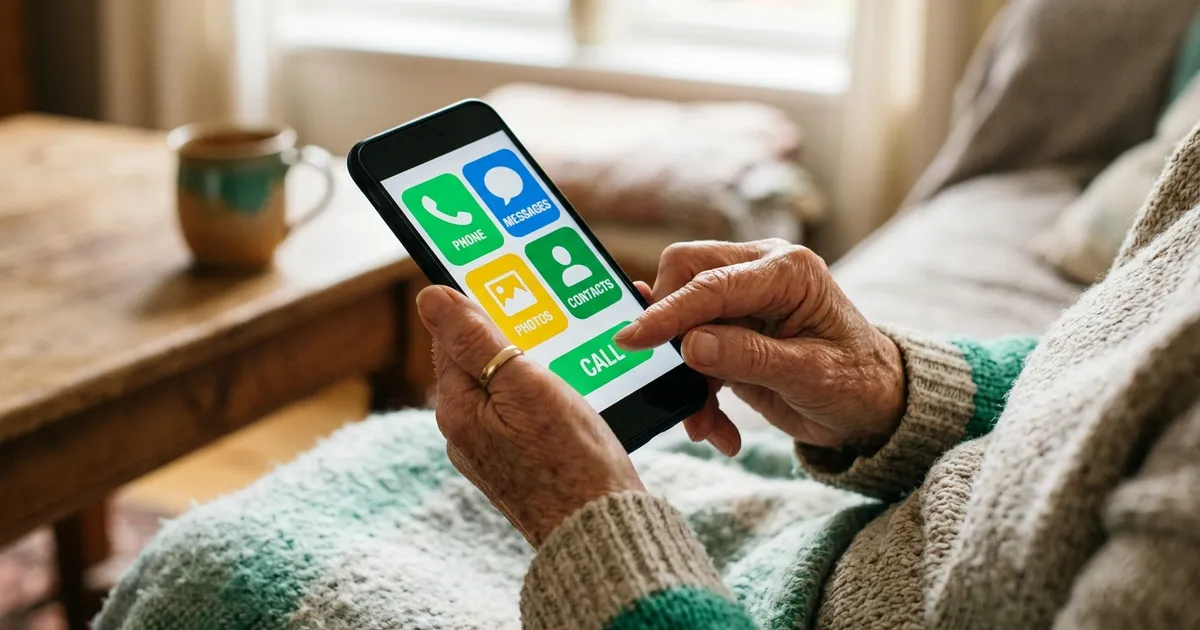
The easiest learning apps for older adults keep things simple: large readable text, a gentle setup, short single-topic lessons, and a clean screen with no clutter. Look for an app that lets you start learning in under a minute without a confusing signup, and skip the ones stuffed with badges, pop-ups, and endless settings. When the app is simple, being less tech savvy stops holding you back.
Here is the honest truth most app reviews skip: the problem usually is not you. It is the app. So many learning apps drown the actual lesson under notifications, streaks screaming for attention, tiny text, and a signup form that wants your life story before you have learned a single thing. No wonder they feel overwhelming.
A good learning app for an older adult does the opposite. It gets out of the way. It shows you one clear thing to learn, in text you can actually read, and it lets you finish feeling like you accomplished something. This guide covers what to look for, what to avoid, and how to start without feeling lost.
Why Most Apps Feel Too Complicated
Most learning apps are built for a young, fast-scrolling audience that grew up with screens. They pile on features to look impressive: leaderboards, gems, streak freezes, daily goals, social feeds, and pop-ups nudging you to upgrade. Each feature makes sense to the designers. Together, they create a wall of noise that hides the one thing you came for, which is to learn something.
If you have ever downloaded an app, felt lost within a minute, and quietly deleted it, you experienced bad design, not personal failure. The fix is simple: choose apps built for calm and clarity, and ignore the rest. A whole segment of hesitant, less tech-savvy learners gets ignored by these busy apps, and they deserve better.
There is a psychology to this worth naming. Every extra button, badge, and pop-up is a tiny decision the app forces on you. Individually they seem harmless. Stacked together, they create what designers call cognitive load, the mental effort of just figuring out where to look and what to tap. An app with low cognitive load feels calm and obvious. An app with high cognitive load feels like a test you did not study for. You want the first kind.
What to Look For in a Simple Learning App
A handful of features separate the genuinely easy apps from the overwhelming ones. Use this as a checklist before you commit to any app.
- Large, readable text. You should never have to squint or pinch-zoom to read a lesson.
- A gentle first-time setup. The app should let you start fast, without a long form or a maze of choices.
- Short lessons. Five minutes on one topic beats an open-ended session that never seems to end.
- A clean, uncluttered screen. The lesson should be the main thing you see, not buried under badges and banners.
- Optional, not aggressive, notifications. A gentle reminder is fine. A phone that buzzes all day is not.
- A free way to try it. You should be able to test the feel of an app before paying anything.
Simple vs Overwhelming: A Quick Comparison
The difference between an app that works for you and one that frustrates you comes down to a few design choices. Here is what to watch for at a glance.
| Feature | Simple app (good) | Overwhelming app (avoid) |
|---|---|---|
| Text size | Large and adjustable | Small, fixed, hard to read |
| Getting started | Learn within a minute | Long signup and setup maze |
| Lesson length | Short and clearly bounded | Open-ended, no finish line |
| Screen layout | Clean, one clear action | Cluttered with badges and pop-ups |
| Notifications | Gentle and optional | Frequent and pushy |
Why Short Lessons Work So Well
Short lessons are not a compromise. They are the whole point. A five-minute lesson has a clear beginning and end, so you always know when you are done and you always finish with a small win. That feeling of completion is what makes you want to come back tomorrow.
Long, open-ended study sessions do the opposite. They have no natural stopping point, which makes them easy to put off and easy to abandon. Learning in small, self-contained pieces is called microlearning, and it happens to match how memory works best: little and often, with time to absorb between sessions. It is also far kinder to a busy or easily tired day.
There is a confidence effect too. Each finished lesson is a small proof that you can do this, and those proofs add up. Someone who has quietly completed thirty short lessons stops thinking of themselves as "not a technology person" and starts thinking of themselves as a learner. The app did not get easier; your relationship with it changed. That shift only happens when every session is short enough to actually finish.
Getting Started Without Feeling Lost
The first session is where most people either stick or give up. Keep it tiny. Here is a simple path in:
- Pick one topic you are genuinely curious about. Curiosity carries you past the awkward first minutes.
- Do exactly one short lesson. Do not explore settings, do not chase badges. Just finish one lesson.
- Adjust the text size if you need to. A good app makes this easy and it removes a lot of frustration.
- Come back tomorrow. One lesson a day, same time, is all it takes to build the habit.
If you want a topic to start with, learning about memory itself is a satisfying and useful first choice. Supercharge your brain and learn faster, gives you techniques you can use on every future lesson. Or try the classic memory technique in mastering the memory palace, a genuinely fun skill that has been around for centuries. You can also simply browse the full course library and tap whatever sounds interesting.
How NerdSip Fits
NerdSip was built with exactly this simplicity in mind. Each lesson is one clear topic, delivered in about five minutes, in large readable text, with a quiz at the end so you feel the progress. There is no wall of features to fight through and no pressure. You open it, you learn one thing, you are done.
The lessons also come in a friendly voice format, so if reading on a small screen tires your eyes, you can listen instead. And because each lesson stands on its own, there is no penalty for skipping a day or jumping between topics. You are never behind. That forgiveness matters more than most app makers realize, because the fear of "falling behind" is exactly what makes people quit.
It is fair to say no single app is perfect for everyone, and other apps have real strengths, especially for languages or specialized skills. But if your main frustration has been apps that feel cluttered and overwhelming, a low-friction, one-lesson-at-a-time design solves the exact problem you have been hitting.
Fact-checking is built into the pipeline rather than the marketing. Live search grounding at generation, a nightly integrity score, a gate before the swipe deck, and a one-tap report that a person reads.
How This Compares to Other Options
If you are weighing a few apps, it helps to see how the broader field stacks up. Our roundup of the best brain apps for seniors in 2026, looks specifically at apps designed with older adults in mind. For a wider view across all ages, the best educational apps for adults in 2026, is a good survey, and if cost is a concern, the best free learning apps for 2026, covers strong options that ask for nothing upfront.
Common Worries, Honestly Answered
A few concerns come up again and again from older learners, so let us meet them head on.
"I will forget how to use it." A simple app has almost nothing to remember. If the whole experience is "open it, tap the lesson, read or listen," there is no complicated sequence to memorize. Simplicity is not just about comfort; it is about not having to relearn the app every time.
"I will break something or press the wrong button." Learning apps are safe to poke around in. Nothing you tap will damage your phone or cost you money without a clear confirmation. Explore freely; the worst that happens is you back out of a screen.
"I am too old to start." The evidence says otherwise. Adults keep the ability to learn new things throughout life, and short daily practice is one of the most effective ways to use it. Age changes the pace a little, not the possibility.
The Bottom Line
The best learning app for an older adult is not the one with the most features. It is the one that feels calm, reads clearly, and lets you learn one small thing without a fight. Large text, a gentle start, short lessons, and a clean screen: those four things matter more than any flashy extra.
If an app overwhelms you in the first minute, that is the app's fault, not yours. Choose something simple, do one short lesson today, and let the habit build itself from there.
Sources and Further Reading
- National Institute on Aging: Cognitive Health and Older Adults
- National Institute on Aging: Using Technology Safely
- Harvard Health: Staying Healthy
- AARP: Personal Technology
Want to try the simplest possible start? NerdSip keeps it to one clear lesson at a time, in big readable text, with a five-minute finish line and no clutter to wade through.
Frequently Asked Questions
What makes a learning app easy for older adults?
Simplicity is everything: large readable text, a gentle first-time setup, short single-topic lessons, and a clean screen without pop-ups or clutter. The best apps let you start learning almost immediately instead of forcing you through confusing menus and settings. If an app feels overwhelming in the first minute, it is the wrong app, not you.
Are learning apps too complicated for people who aren't tech savvy?
Many are, but not all. A lot of popular apps bury the actual learning under badges, notifications, and busy dashboards, which feels overwhelming. The trick is choosing an app designed for low friction, where the first screen you see is the lesson itself. When the app is simple, being less tech savvy stops mattering.
How do I start using a learning app without feeling lost?
Start with one small goal and one short lesson. Pick a topic you are genuinely curious about, do a single five-minute lesson, and ignore every extra feature for now. You can explore settings later. The only thing that matters at the start is finishing one lesson and feeling good about it.
Every NerdSip course clears a four-layer fact-checking pipeline before it reaches the app: grounded in live sources, scored nightly, gated on failure, and reviewable by a person at one tap. Articles on this blog are drafted with AI assistance, then researched, verified, and edited by our team.
Editorial responsibility: ai51 UG (haftungsbeschränkt). Responsible editor named in the imprint.
📚 Keep Learning
Explore the NerdSip learning hubs
The blog is our editorial layer. When you want to move from reading into doing, these hubs organize the rest of NerdSip by format, including the app itself and the press that has written about it.
Learning Without the Overwhelm
NerdSip keeps it simple: one clear lesson, big readable text, and a five-minute finish line. No clutter, no pressure, no learning curve to fight.
4.7 stars from 380 reviews · 8,900+ learners