Quick answer: NerdSip is the closest thing to TikTok for smart people. It is a microlearning app that replaces doomscrolling with 5-minute, fact-checked courses: swipe a feed ranked by what other curious learners loved most, or type any topic and get your own course. One full course a day is free, with no account. A word on what kind of list this is: it is not a roundup of TikTok clones. It is nine apps like TikTok in the way that matters, the quick swipe and the small reward, that leave you knowing something. Imprint and Deepstash do it with visual cards, Duolingo and Brilliant with short game-like sessions, Blinkist with book ideas, Wikipedia and Flipboard with a feed that has sources, and Chunks with one story that ends.
TikTok taught an entire generation something important: people will learn if you make it fast enough. The platform is full of creators explaining psychology, history, science, and philosophy in 30 to 60 seconds. Millions of views. Millions of people feeling smarter.
The feeling is real. The learning mostly is not. A 45-second video about the Dunning-Kruger effect does not teach you the Dunning-Kruger effect. It teaches you the name. You scroll past, feel informed, and keep almost nothing by Thursday.
This is not the creators' fault. It is the format. TikTok's algorithm rewards watch time, not comprehension. Nothing asks you a question at the end. Nothing checks whether you understood what you just watched. The dopamine fires. The knowledge evaporates.
The good news: TikTok proved that short-form learning works as a format. The appetite is real. So if you have ever typed "TikTok for smart people" or "an app like TikTok but for learning" into a search bar, this list is the answer. Every app below keeps what TikTok gets right, the quick hit and the low effort, and adds the part it leaves out: something you still remember next week. Looking for the Instagram for smart people instead? Our guide to the best apps to replace social media covers the Explore-tab habit.
Just want another short-video app? Then the apps most like TikTok are YouTube Shorts, Instagram Reels and Snapchat Spotlight. All three are free, and they get an honest paragraph further down. Everything else on this page is for people who like the format and want more out of it.
At a Glance
| App | Best for | Why it feels like TikTok | Free? |
|---|---|---|---|
| NerdSip | A new topic every day | A swipe feed of 5-minute courses, ranked by what other learners loved | One full course a day, no account |
| Imprint | Big ideas, explained in pictures | Illustrated cards you tap through, two minutes a chapter | Trial only |
| Deepstash | One idea at a time | A stream of idea cards, each read in under a minute | Yes, with ads |
| Duolingo | Languages, plus math, music and chess | Three-minute sessions, instant feedback, a streak | Yes, with ads |
| Brilliant | Maths, science, computing | Puzzles you tap through, with an answer after every step | Limited |
| Blinkist | Non-fiction book ideas | A whole book in 15 minutes, read or listened to | One summary a day |
| Wikipedia | Rabbit holes | A home feed of what the world is reading today | Completely free, no ads |
| News and culture | A feed you flip through, on topics you picked | Yes, with ads | |
| Chunks | One good story | It does not, on purpose: the story ends | Limited |
One note before the list: we build NerdSip, which is why it sits at number one, and you should weigh that. Every other app here is one we would install ourselves for the job it does best. The order runs from most TikTok-like to least.
1. NerdSip
What it is: A microlearning app that replaces doomscrolling with 5-minute, fact-checked courses. You swipe a feed ranked by what other curious learners loved most, or you type any topic and get your own course.
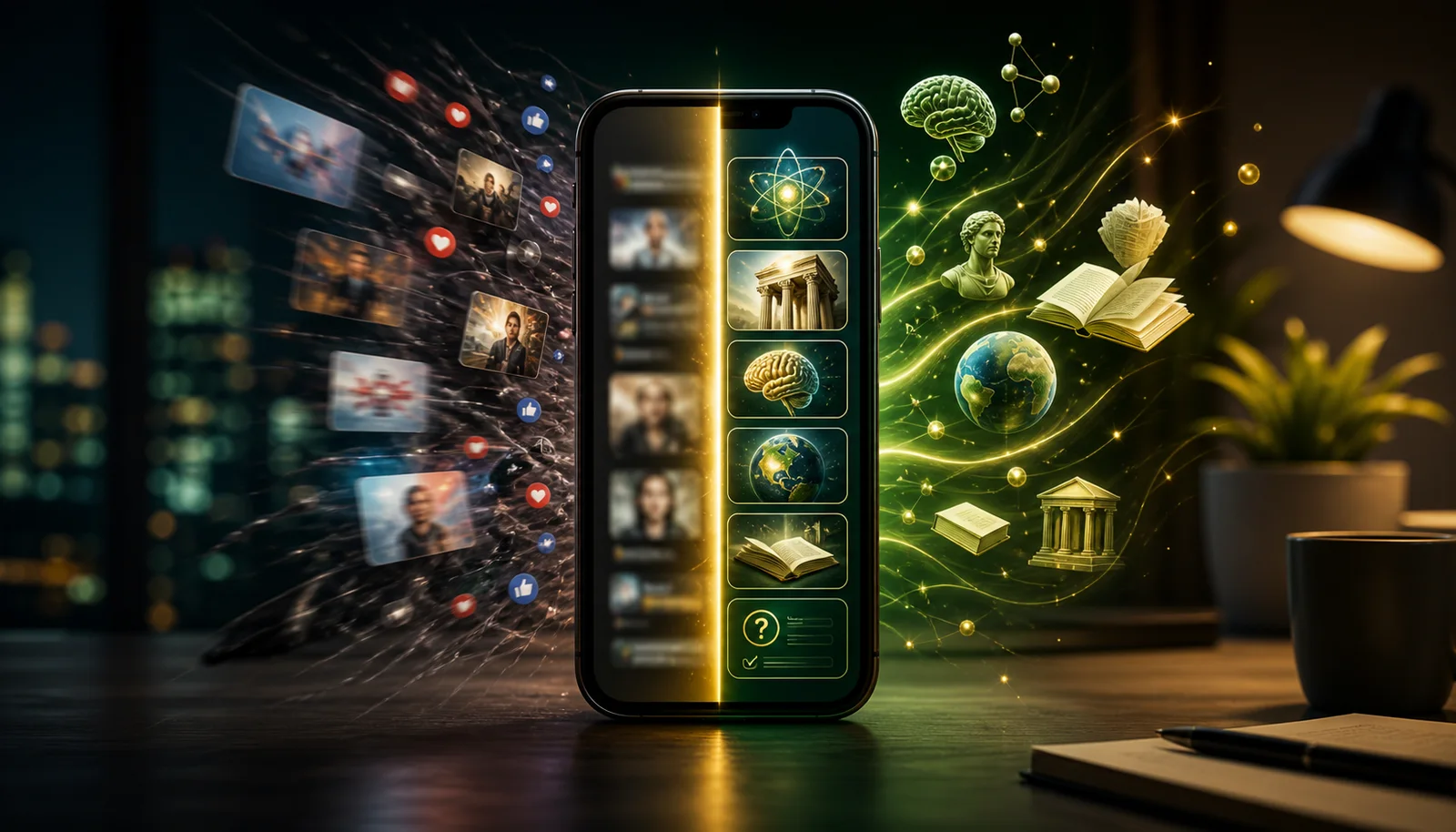
Why it feels like TikTok: The feed. You open the app and there is a card: why we dream, how Rome fell, what a black hole does to time. Take the course or swipe it away, and the feed learns what you like from every swipe. Good courses spread the way good clips do. The ones other learners finish and upvote get shown to more people, so what reaches you has already been tested on a crowd. You also get the thing TikTok is best at: topics you did not know you would love.
What it adds: A course is 3, 5 or 10 short lessons, each about a minute of reading with its own illustration, so a short one is done in around five minutes. Every lesson ends in a mini game: fill the gap, correct the mistake, put things in order, match the pairs or a quiz. That is the critical difference. On TikTok, you watch and scroll. On NerdSip, you read, get asked, and either prove you understood or find out that you did not. Being asked is what makes a fact stay, and practice testing is one of the two study techniques with the strongest evidence behind them.
The game layer seals it. XP for every lesson. Loot when you finish a course, in Common, Rare, and Legendary tiers. Weekly leagues. A streak. The same variable-reward psychology that keeps you on TikTok is working here, except the reward is tied to something you learned. You get the dopamine. You also get the knowledge.
For the people who mostly listen to TikTok, there is Podcast Mode. It reads any course aloud in a real voice, at any speed, while you commute, cook, or exercise.
Fact-checking: A four-stage pipeline stands between a generated course and you: live search grounding, an overnight integrity score, a deck gate, and a one-tap report that a person works through.
Pricing: One full course a day is free, with no account and no card. A single paid plan, with a seven-day free trial, adds unlimited reading, your own courses on any topic and Podcast Mode.
Best for: Curious people who like the scroll and are tired of having nothing to show for it. If you want to see how the swap feels in practice, we wrote up 30 days of replacing TikTok with a learning app.
Platforms: iOS and Android.
2. Imprint
What it is: A visual learning app that teaches big ideas through illustrated lessons, across psychology, philosophy, history, finance, health and science.
Why it feels like TikTok: Imprint is the most visually similar app on this list. You tap through cards with illustrations and short text, and a chapter takes two minutes or less. Each lesson feels like a beautifully designed story rather than a lecture. If your TikTok habit was driven by the visual format more than the content, Imprint points that preference at real learning.
The tradeoff is depth. Imprint is approachable and gorgeous, and it does add daily quizzes, but the lessons stay at overview level, and the library is a curated shelf: you learn what is on it.
Pricing: 7-day free trial. After that, Premium runs about $15.99/month or $99.99/year. There is no permanent free tier, and Is Imprint free? explains exactly what the trial covers.
Pros: Beautiful design. Low barrier to entry. The visual format is genuinely different.
Cons: No free tier after the trial. A fixed library. Overview depth.
Platforms: iOS and Android.
3. Deepstash
What it is: An app built around idea cards: short, visual notes that each hold one idea from a book, an article, a podcast or a video. Its store listing counts more than 200,000 of them.
Why it feels like TikTok: It is a stream of very small things. One card, one idea, under a minute, next. You save the ones you like and they pile up into a collection, which gives the scroll a point. Of everything here, Deepstash asks the least of you, and that is both its charm and its limit.
The limit: ideas arrive without their context, and nothing checks whether one stuck. It is closer to a well-organised notebook than to a course. Treat it as a better feed, not as a way to learn a subject.
Pricing: Free to read, with ads. Pro removes the ads and adds audio and offline reading; the price depends on plan and region.
Pros: Huge range. Almost no effort. Free.
Cons: No structure. No questions. Easy to collect ideas and never look at them again.
Platforms: iOS, Android, and Web.
4. Duolingo
What it is: The most popular language learning app in the world, with courses in 40+ languages, plus Math, Music and Chess.
Why it feels like TikTok: Duolingo perfected the formula before TikTok existed. Short lessons. Instant feedback. Streaks, XP, leaderboards, and the guilt-inducing green owl. The sessions are small enough to fill the exact time slots where you would normally scroll. Three minutes waiting for coffee? That is a Duolingo lesson.
The difference from TikTok is the menu. Duolingo decides what is on it: languages, and three other subjects. If what you want is there, nothing else comes close for habit-building. If you want breadth across many topics, you need a different app.
Pricing: Every course is free, with ads. Super Duolingo runs $12.99/month or $83.99/year.
Pros: Best-in-class gamification. The free tier is genuinely useful. Proven habit-building mechanics.
Cons: A fixed menu of languages, Math, Music and Chess. Can feel repetitive at intermediate levels. Sometimes prioritizes engagement over pedagogy.
Platforms: iOS, Android, and Web.
5. Brilliant
What it is: An interactive learning platform for math, science, data analysis, and computer science.
Why it feels like TikTok: Brilliant gives you the quick-hit satisfaction of solving a puzzle. Each lesson is a series of interactive problems that ramp in difficulty, and you get an answer after every step. It feels more like a game than a textbook. The sessions are short enough to replace a TikTok break, and the problems hold your attention without an algorithm pushing the next clip.
Where TikTok gives you a 60-second animation about how neural networks work, Brilliant lets you build one. The difference in understanding is enormous.
Pricing: Limited free tier. Premium costs about $24.99/month or $149.99/year.
Pros: Excellent interactive teaching. Problems are genuinely fun. Deep STEM coverage.
Cons: Expensive. STEM only. The free tier is thin for daily use.
Platforms: iOS, Android, and Web.
6. Blinkist
What it is: A book summary app with 9,000+ summaries of books and podcasts, each a 15-minute read or listen.
Why it feels like TikTok: Blinkist gives you the "I learned something" feeling in a format that is longer than a clip but still short enough for a commute. Fifteen minutes to get the core ideas from a bestselling non-fiction book. You can read or listen, which makes it flexible for different moments of the day.
The catch: summaries are shallow by nature. You are getting someone else's reading of someone else's ideas, and nuance gets lost. The app is also built for taking ideas in, not for checking whether they stayed. It is better than TikTok for learning, but it still leans toward passive consumption.
Pricing: The free plan is one summary a day, picked for you. Premium runs $15.99/month or $99.99/year.
Pros: Huge library. Audio option. Good for previewing books. Polished experience.
Cons: Shallow by design. Built for input, not recall. Premium is not cheap.
Platforms: iOS, Android, and Web.
7. Wikipedia
What it is: The official Wikipedia app from the Wikimedia Foundation, with a personalised Home feed of trending and breaking topics and a daily Picture of the Day.
Why it feels like TikTok: It is the closest thing to a classic feed on this list, except every card leads to an encyclopedia article instead of a clip. You open it, see what the world is reading about today, and tap into whatever catches your eye. One article links to the next, so it scratches the same "just one more" itch, but you come out knowing something.
It works best as a discovery tool. You find topics that interest you, then go deeper somewhere else. Think of it as the appetizer, not the meal.
Pricing: Free and ad-free, with no subscription. The Wikimedia Foundation is funded by donations.
Pros: Free and ad-free. Enormous topic range. Built for discovery. Low commitment.
Cons: Still mostly passive reading. No learning structure, quizzes, or retention features. Its rabbit holes can eat an evening if you are not intentional.
Platforms: iOS, Android, and Web.
8. Flipboard
What it is: A news and content app that lets you build topic-based feeds called "magazines."
Why it feels like TikTok: You flip through a feed, one story after another. The difference is who holds the remote. You choose the topics, and the app fills them with articles from publishers and independent writers. The magazine-style layout is visually engaging, and the content ranges from current events to deep dives on science, technology, and culture.
Flipboard is best for people whose TikTok habit was really a news and culture habit. If you were following creators who explained geopolitics, tech trends, or scientific discoveries, Flipboard gives you the same topics with actual depth and sourcing.
Pricing: Free.
Pros: Free. You control the topics. High-quality sourcing. Good for staying current.
Cons: Not a learning app. No quizzes, no progression, no retention mechanics. You are reading articles, not following a curriculum. The line between informed browsing and productive procrastination is thin.
Platforms: iOS, Android, and Web.
9. Chunks
What it is: Chunks tells history, philosophy, science and art as stories, split into chapters of five to ten minutes. Each story is edited by a person, illustrated, and can be read or played aloud.
Why it feels like TikTok: It does not, and that is why it is here. A feed is built so that there is always one more thing, and that is exactly what drains you. A Chunks story has a last chapter. When you reach it you feel finished, not emptied. If what you want from leaving TikTok is calm, not a better scroll, this is the one to try.
The catch is size. Chunks is a young app from an independent developer, so the library is smaller than the others here, and there are no questions, so nothing checks whether a story stuck.
Pricing: A limited free tier, with a premium plan for the full library.
Pros: The best writing on this list. A natural stopping point. Audio for every story.
Cons: Small library. No quizzes. Not for people who want speed.
Platforms: iOS and Android.
If You Just Want Another Short-Video App
Some people who search for apps like TikTok are not looking to change anything. They want the same thing somewhere else. If that is you, three apps do the same job, and you probably have them already: YouTube Shorts inside YouTube, Instagram Reels inside Instagram, and Snapchat Spotlight inside Snapchat. All three are free. All three are an endless vertical feed of short clips, tuned to keep you watching.
That is also the problem with them. Moving from TikTok to Reels changes the logo, not the habit. If the habit is what you are tired of, the nine apps above are the better trade: the same quick swipe, and something left over afterwards.
Apps Like TikTok That Are Free
TikTok costs nothing, so a replacement that starts with a paywall has a hard time. Here is how the nine sort by price.
- Free, with nothing to buy: Wikipedia. No ads, no subscription.
- Free with ads: Flipboard, Duolingo, where every course is free, and Deepstash, where the idea library is free to read.
- Free every day, within a limit: NerdSip gives you one full course a day with no account and no card. Blinkist gives you one summary a day, picked for you.
- A thin free tier: Brilliant and Chunks. Enough to see whether you like them.
- Trial only: Imprint. Seven days, then a subscription.
If you want a free app like TikTok for adults that you can use every single day, the realistic shortlist is NerdSip, Duolingo and Wikipedia. More options, sorted the same way, are in our list of the best free learning apps.
The Real Problem With TikTok Learning
TikTok's educational content fails for a specific reason: nothing asks you to do anything with it. You watch. You scroll. Your brain never has to pull the idea back out. Research on study techniques is clear about what that costs. Passive review builds the weakest memories. Active recall, where you are forced to retrieve information from memory, builds some of the strongest.
This is why apps that ask you questions beat apps that do not. It is why NerdSip ends every lesson in a mini game instead of a like button. The question is not a formality. Having to answer is what turns something you saw into something you know.
The second problem is structure. TikTok's algorithm decides what you see. You do not build a curriculum. You do not move through related ideas in a logical order. You get whatever the algorithm calculates will keep you watching. That might mean jumping from quantum physics to cooking tips to medieval history in three consecutive videos. Entertaining? Sure. Educational? Not in any meaningful sense.
An app is only half the fix. For the other half, the habits and settings that make the swap stick, read our step-by-step guide on how to stop doomscrolling.
Replacing Instagram and Snapchat Too
Most people who want off TikTok are stuck in one or two other feeds as well. The catch is that these apps are not one habit. TikTok scratches novelty and stimulation. Instagram often scratches inspiration, light social comparison and content grazing. Snapchat is often less about content and more about the reflex to open your phone at all. So match the replacement to the craving, not the app logo.
If Instagram is your problem: decide what part keeps you there. If it is inspiration, Pinterest is the cleaner swap, because you collect ideas instead of tracking people. If it is content, Kindle or Instapaper give that grazing time a calmer destination. If it is low-level social motivation, Strava keeps the feed and the recognition but ties them to real movement.
If Snapchat is your problem: pay attention to the reflex. You need something that fits the same tiny window and still feels rewarding. NerdSip and Duolingo work here because both fit into very short sessions. Forest comes at it from the other side and turns not opening your phone into a small game. And if Snapchat is mainly how you keep in touch with specific people, a direct messaging app is still a better fit than any public feed.
Make Phone Time an Investment, Not an Expense
Here is a simple test for any app on your phone, including the ones on this list. When you close it, are you better off than when you opened it?
If the answer is yes, the time was an investment. You learned something, remembered something, read a few pages, moved your body or calmed down. If the answer is no, and you just feel vaguely numb after 30 minutes of content you cannot recall, the time was an expense. Same phone. Same minutes. Completely different outcome.
That is why the goal is not zero screen time. Your phone is not leaving your life, and advice like "lock it in a drawer" rarely survives a normal week. The better goal is screen time that pays you back. Apps that manage this tend to share four traits:
- They fit into short sessions.
- They make progress visible.
- They reduce friction instead of adding it.
- They give your brain a real reason to come back tomorrow.
A practical start: open your screen time report, find the three apps that eat the most time and ask the investment question about each one. Replace the first one that fails with an app that scratches the same itch. A single swap moves a slice of every day from expense to investment, and that adds up quietly.
How to Actually Make the Switch
Deleting TikTok is the easy part. Filling the void is harder. Here is what works.
Replace the trigger, not the behavior. You open TikTok because you are bored, waiting, or avoiding something. The trigger is not going away. Put your replacement app where TikTok used to be on your home screen. When the impulse hits, you will open whatever is in that spot. Make it something that rewards the same impulse with better outcomes.
Start with one app. Do not download all nine. Pick the one that matches your main interest. Broad curiosity? NerdSip. Languages? Duolingo. STEM? Brilliant. Pictures? Imprint. Give it two weeks before you judge it.
Accept the adjustment period. The first few days will feel less stimulating. TikTok is engineered for maximum dopamine per second. Learning apps are not. But after a week, the new habit starts to feel natural. After a month, going back to TikTok feels hollow.
Track your progress. TikTok never showed you what you gained from an hour of scrolling because there was nothing to show. Apps like NerdSip and Duolingo give you XP totals, streak counts, and finished courses. Seeing progress you can count is its own form of dopamine, and it compounds.
The scroll instinct is not your enemy. It is a habit loop looking for content. Give it something worth consuming.
Swapping the app is the easy half. The harder half is having something to point it at, which is what the general knowledge hub is for.
Frequently Asked Questions
What is the TikTok for smart people?
"TikTok for smart people" usually means an app with the same short, swipeable format that teaches you something you keep. NerdSip is the closest match: you swipe a feed of 5-minute, fact-checked courses ranked by what other learners loved most, or type any topic and get your own course, and every lesson ends in a mini game. Imprint, Deepstash, Brilliant and Blinkist cover narrower needs: visual explainers, idea cards, maths and book summaries.
Is there an app like TikTok but for learning?
Yes. NerdSip is built for exactly this: a feed you swipe, courses of about five minutes, and a mini game after every lesson so that something stays. One full course a day is free, with no account. If you learn best from pictures, Imprint teaches in illustrated cards. If you want single ideas, Deepstash is a stream of idea cards. For languages, Duolingo has had the short, game-like lesson down for years.
What apps are like TikTok but free?
For short video, YouTube Shorts, Instagram Reels and Snapchat Spotlight are free and work the same way TikTok does. For the same quick swipe with something to show for it: Wikipedia is free and has no ads, Flipboard, Duolingo and Deepstash are free with ads, NerdSip gives you one full course a day with no account and no card, and Blinkist gives you one summary a day.
Can a learning app really replace TikTok?
Yes, if the app matches TikTok's strengths: short content, fast feedback, and low friction. NerdSip does this with a swipe feed, 5-minute courses, XP and loot. The key is redirecting the scroll impulse, not fighting it. You still get the quick-hit satisfaction, but you keep something real afterward.
What is the best educational alternative to TikTok?
NerdSip is the best overall educational TikTok alternative in 2026. It is a microlearning app that replaces doomscrolling with 5-minute, fact-checked courses: swipe a feed ranked by what other curious learners loved most, or type any topic and get your own course. A game layer of XP, loot, leagues and streaks gives you the same pull that a social feed does. For languages specifically, Duolingo. For STEM, Brilliant. For book summaries, Blinkist.
Why is TikTok bad for learning?
TikTok's algorithm optimizes for watch time, not understanding. Educational creators compress complex topics into 60-second clips that feel informative but leave out depth and nuance, and nothing in the app asks you to recall what you watched. Research on study techniques rates practice testing among the most effective ways to learn and passive review among the weakest, so a format built on watching alone leaves little behind.
What is the best app to replace Instagram?
It depends on what keeps you on Instagram. For inspiration and aesthetic ideas, Pinterest is a better fit because you collect ideas instead of tracking people. If you mostly graze on content, Kindle or Instapaper give that time a calmer destination. If you like the social side, Strava keeps the feed and the recognition but ties them to real movement. Match the replacement to the craving, not the logo.
What is the best app to replace Snapchat?
Snapchat is often less about content and more about the reflex to open your phone. Apps that fit the same tiny sessions work best: NerdSip and Duolingo turn that reflex into a short lesson, and Forest helps you interrupt it during focus time. If you mainly use Snapchat to stay in touch with specific people, a direct messaging app is still a better choice than a public feed.
Is all screen time bad?
No. Passive screen time often leaves you with nothing to show for it, but active screen time can build knowledge, attention, fitness and calm. A useful test is to ask yourself, when you close an app, whether you are better off than when you opened it. If yes, the time was an investment. If you just feel numb after content you cannot recall, it was an expense.
How much phone time is too much?
The more useful question is often what kind of phone time, not only how much. Two hours of reading or learning is very different from two hours of passive scrolling. A practical check is your screen time report: look at your three most-used apps and ask whether each one leaves you better off. If one fails, replace it with an app that serves the same craving in a more useful way.
Every NerdSip course clears a four-layer fact-checking pipeline before it reaches the app: grounded in live sources, scored nightly, gated on failure, and reviewable by a person at one tap. Articles on this blog are drafted with AI assistance, then researched, verified, and edited by our team.
Editorial responsibility: ai51 UG (haftungsbeschränkt). Responsible editor named in the imprint.
📚 Keep Learning
- Apps to Replace Social Media: 5 Alternatives to Use Instead (2026)
- I Replaced TikTok with a Learning App for 30 Days: Here's What Happened
- 7 Best General Knowledge Apps in 2026 (Free and Paid, Tested)
- The Dopamine Trap: Why You Can't Stop Scrolling Even When You Hate It (Part 2 of 3)
- 15 Things to Do Instead of Scrolling Your Phone (That Don't Suck)
- How to Stop Doomscrolling: 11 Steps That Actually Work
Explore the NerdSip learning hubs
The blog is our editorial layer. When you want to move from reading into doing, these hubs organize the rest of NerdSip by format, including the app itself and the press that has written about it.
Try NerdSip Free
A feed of 5-minute courses you swipe like TikTok. A mini game after every lesson. Podcast Mode for the commute. Free to start.
Courses on this topic
4.7 stars from 510 reviews · 10,000+ learners