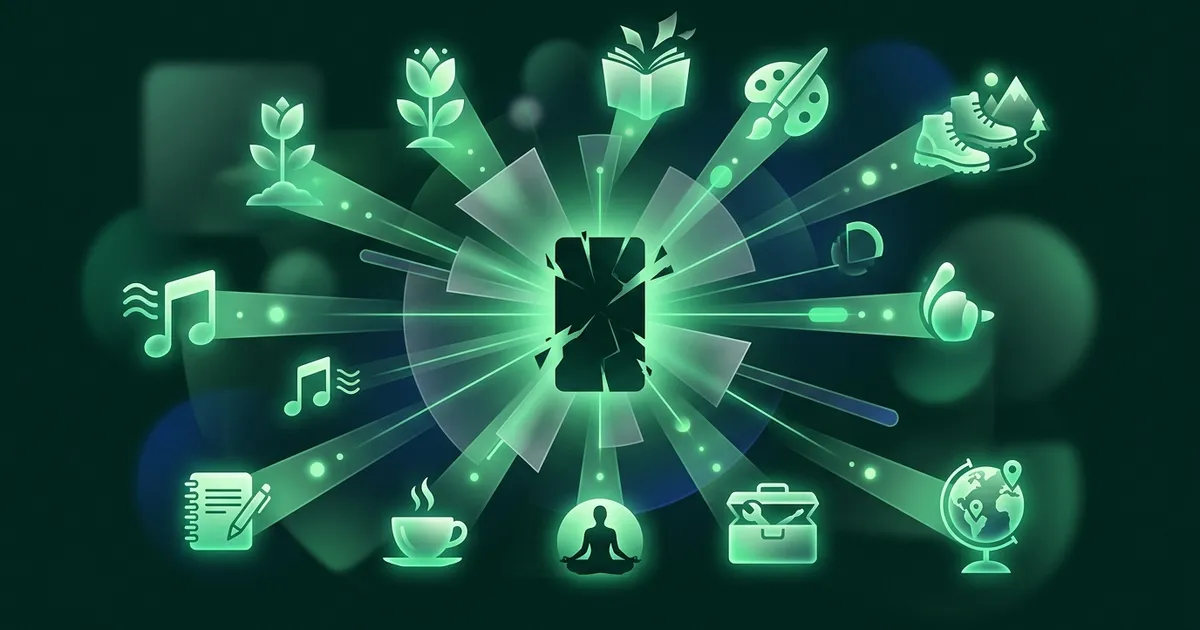
To stop doomscrolling, stop fighting the urge in the moment and change the setup around it. Put a short pause in front of the two or three apps that eat your evenings, turn the screen gray, charge the phone outside the bedroom, cap feeds at about 30 minutes a day, and put something better in the old app's spot. In a six-week field study, a pause screen before chosen apps cut actual openings by 57%. In a randomized trial, capping social media at 30 minutes a day reduced loneliness and depression within three weeks.
What follows is the full version: 11 steps, the evidence behind each one (including where that evidence is thin), a seven-day reset plan, and an honest note on when this stops being a habit problem.
What doomscrolling is, and why your brain does it
It is 11:40 pm. You picked up the phone to set an alarm. Forty minutes later you know the details of a flood in a country you could not find on a map, a celebrity's divorce, and three things to be angry about, and you feel worse than when you started. That is doomscrolling. Researchers who built a scale to measure it define it as persistently attending to negative news about crises, disasters and tragedies in your feeds (Sharma, Lee & Johnson, 2022). The key word is persistently. Checking the news is not doomscrolling. Being unable to stop checking it is.
Four forces keep your thumb moving.
- Variable rewards. You never know whether the next swipe brings something funny, useful or shocking. Unpredictable payoffs drive seeking harder than reliable ones, the same principle that keeps people at slot machines. So you can dislike what you are reading and still want the next post.
- Negativity bias. Human attention gives more weight to threats than to good news; one widely cited review summed it up as "bad is stronger than good". Feeds that rank by engagement learn this fast. In an analysis of about 105,000 headline variations and 370 million impressions, each extra negative word in a headline raised the click rate by 2.3% (Robertson et al., 2023).
- No stopping cues. A newspaper ends. A TV episode ends. A feed has no bottom, so the decision to stop never arrives on its own. Aza Raskin, the designer who invented infinite scroll, has since said publicly that he regrets what it turned into.
- The uncertainty loop. When the world feels unsafe, checking feels like doing something. Each refresh brings a flicker of relief and a fresh reason to worry. In a survey of 443 adults, people who found uncertainty harder to tolerate reported more doomscrolling (Türk-Kurtça & Kocatürk, 2025). That is a correlation, not proof of cause, but it fits the pattern.
None of this is a character flaw, and that is good news. If the pull comes from design and habit, so does the fix: you act before the reach, not during it.
Take the test first
Not sure whether this is a bad habit or something bigger? Our free phone addiction test uses the 10-question Smartphone Addiction Scale (short version), a questionnaire researchers use around the world. It takes about two minutes. If your main complaint is fog and a short fuse for anything slow, try the brain rot test instead. Take one now and again after the seven-day plan below.
How to stop doomscrolling: 11 steps
You do not need all 11 at once. Start with steps 1 to 7, the foundation. Steps 8 to 10 tighten the system, and step 11 is for when you are in deep.
1. Find your doomscroll hour
Almost nobody doomscrolls all day. They doomscroll at 7:10 am before getting out of bed, in the 3 pm slump, and from 10:30 pm until whenever. Open your screen time report (on iPhone, Settings > Screen Time; on Android, Digital Wellbeing) and for three days jot down when the long sessions happen, where you are, and what you felt just before: bored, tired, anxious, or avoiding something.
You are hunting for the one or two slots that do most of the damage, because that is where the other steps belong. Tracking alone helps a little: in the trial in step 5, even the control group, who only monitored their use, ended up less anxious. But the numbers are a diagnosis, not a cure.
2. Put a pause in front of the reach
This is the single change with the strongest direct evidence. In a field study published in PNAS, 280 people used a tool that showed a short breathing pause before a chosen app would open. They abandoned 36% of their own attempts on the spot. Over six weeks, attempts to open the apps fell by 37% and actual openings by 57% (Grüning et al., 2023).
Look at what that tool did not do. It blocked nothing. It simply asked, at the moment of reaching, whether you meant it, and about a third of the time the answer was no. You can build a rough version with an iPhone Shortcuts automation or use a dedicated app. Apply it to your two or three worst apps only. Friction on everything becomes wallpaper you learn to tap through.
3. Turn the screen gray
Feeds are built in saturated color for a reason. Take the color away and the same content becomes oddly flat. In one study, 73 students who switched to grayscale for eight to ten days cut their screen time by more than half an hour a day, mostly from social media and browsing (Holte & Ferraro). In another, 84 adults who went gray for a week cut about 20 minutes a day and felt more in control and less stressed. Curiously, they unlocked their phones just as often, which tells you the checking reflex survives even when the reward shrinks (Dekker & Baumgartner, 2024). A randomized field experiment with 112 people found grayscale cut screen time faster than self-set time limits did (Zimmermann & Sobolev, 2023).
The honest caveat: these studies are small, short and mostly done with students, and they found little or no change in mood. Treat grayscale as a cheap way to make the feed less sticky, not as therapy. On iPhone, go to Settings > Accessibility > Display & Text Size > Color Filters > Grayscale, then set the Accessibility Shortcut so a triple-click of the side button toggles it. On most Android phones, Bedtime mode in Digital Wellbeing can switch the screen to grayscale on a schedule.
4. Make the feed harder to reach
Every extra second between the impulse and the feed gives the slower, thinking part of you a chance to catch up. So add seconds:
- Move feed apps off the home screen into a folder on the last page.
- Log out after each session, so getting back in means typing a password.
- Delete the app and use the website instead. It is clunkier, and clunky is the point.
- Turn off every notification that is not from an actual person.
No trial has tested each of these tricks separately, so this step rests on the same logic that made the pause in step 2 work. The friction does not need to be large. It needs to be there every single time.
5. Cap feeds at about 30 minutes a day
The best-known experiment here comes from the University of Pennsylvania. Researchers randomly assigned 143 students either to limit Facebook, Instagram and Snapchat to 10 minutes each per day, about 30 minutes in total, or to carry on as usual. After three weeks, the limited group showed significant drops in loneliness and depression compared with the control group (Hunt et al., 2018). A 2025 trial in BMC Medicine went broader: 111 students capped their total smartphone screen time at two hours a day for three weeks and improved on depressive symptoms, stress, sleep quality and well-being, with small to medium effects (Pieh et al., 2025).
Both samples were young and three weeks is short, so treat this as a strong hint rather than a law. The practical snag is the "ignore limit" button, which may be why self-set limits worked more slowly than grayscale in the study above. Let someone else set the Screen Time passcode, or use a blocker you cannot switch off in the moment.
6. Get the phone out of the bedroom, and off your desk
Night scrolling is usually not about the news. It is about postponing the end of the day. Researchers call this bedtime procrastination: going to bed later than you intended with nothing actually stopping you. In a sample of 2,431 Dutch adults, it was common and it was linked to not getting enough sleep (Kroese et al., 2014). At that hour your self-control is at its lowest, so do not make the decision then. Make it at 6 pm: charger in the hallway, a cheap alarm clock by the bed, a book where the phone used to be.
The desk is a quieter version of the same problem. A 2017 study made headlines by claiming that the mere presence of your own phone, face down and silent, drains your working memory (Ward et al., 2017). A preregistered direct replication did not reproduce the effect (Ruiz Pardo & Minda, 2022), and a meta-analysis of 22 studies on phone use and presence found a real but small effect, clearest for memory (Böttger et al., 2023). Smaller than the headlines, then. But a drawer costs nothing, and a phone you cannot see is a phone you reach for less.
7. Give your thumb a better feed
This is the step most people skip, and it is why so many digital detoxes end in a reinstall. When people in a large experiment deactivated Facebook for four weeks, they got back about an hour a day. They did not spend it reading Tolstoy. They spent it on other offline things, including more TV alone and more time with friends and family (Allcott et al., 2020). Freed time always gets filled. The question is whether you choose what fills it.
A good scroll substitute has the two things the feed has: it opens in one tap, and it pays off within about five minutes. "Read more books" is great advice that loses to Instagram at 11 pm, because the book is in another room and takes twenty pages to get going. Pick something that passes both tests and put it in the exact home-screen spot where the old app lived, because thumb memory navigates by position. For ideas, see what to do instead of scrolling, or our list of knowledge apps that can replace TikTok.
8. Put the endings back
Since the feed will not tell you when to stop, decide before you open it. Name the endpoint out loud if you have to: until the kettle boils, three posts from friends, one video. Set a timer for anything open-ended. Turn off autoplay in YouTube and your streaming apps, so the next video waits for a yes. Where you can, favor things that finish: an episode, a chapter, a newsletter, a short course. There is no clean trial behind this one. It is design logic, and it is the logic that infinite scroll was built to remove.
9. Put the news on a diet
Heavy news exposure can hit harder than the event itself. After the 2013 Boston Marathon bombing, people who took in six or more hours a day of coverage in the following week reported more acute stress than people who had been at the scene (Holman, Garfin & Silver, 2014). That is a survey, so it cannot prove the coverage caused the stress, but the pattern is hard to ignore.
Going fully dark has a cost too. The Facebook deactivators in step 7 ended up measurably less informed about current events. So schedule the news instead of dropping it. Pick one or two short windows a day and a source that summarizes rather than provokes: a morning newsletter, a radio bulletin, a weekly magazine. Mute trending tabs and the keywords that hook you. And use this rule: if you have not learned a new fact in ten minutes, you are no longer reading the news. You are rehearsing dread.
10. Write three if-then plans
An if-then plan links a specific situation to a specific response: "If I get into bed, then the phone goes on the charger in the hall." Psychologists call these implementation intentions, and they have one of the better track records in behavior change. A meta-analysis of 94 tests with more than 8,000 participants found a medium-to-large effect on reaching goals, d = 0.65 (Gollwitzer & Sheeran, 2006).
Here is the catch. When 787 people used planning specifically to cut their phone time, the plans made no significant difference to total usage over three weeks (Brockmeier et al., 2025). A plan alone does not beat a feed. So point your plans at the moments you found in step 1 and use them to trigger the friction you already built:
- If I open a feed without deciding to, then I close it and open my substitute.
- If it is 3 pm and I feel the slump, then I stand up and get water before touching the phone.
- If I catch myself reading about the same crisis for the third time today, then I close the app and write down the one thing I can actually do about it, even if that is nothing.
11. If you are in deep, take two weeks off mobile internet
Sometimes small tweaks are not enough, and a short, hard reset is the better tool. In a 2025 randomized trial, 467 adults with an average age of 32 blocked all mobile internet on their phones for two weeks, keeping calls and texts. Ninety-one percent improved on at least one of three outcomes: sustained attention, mental health or well-being. The authors estimated the gain in attention was about the size of ten years of age-related decline (Castelo et al., 2025).
The Facebook experiment points the same way. Weeks after the four-week break ended, the people who had deactivated were still using the Facebook app about 22% less than the control group, and about 80% said the break had been good for them (Allcott et al., 2020). A reset is not a permanent fix. It shows you what your baseline feels like, and that makes the case for steps 1 to 10 better than any article can.
A 7-day reset plan
If you want a structure, do one thing a day. Each day builds on the one before, and none takes more than fifteen minutes.
| Day | What to do |
|---|---|
| Day 1 | Take the phone addiction test and note your score. Open your screen time report and write down your daily average and your worst app. |
| Day 2 | Add a pause before your two or three worst apps and turn on grayscale. Move those apps off the home screen. |
| Day 3 | Move the charger out of the bedroom. Set an alarm clock. Put a book on the nightstand. |
| Day 4 | Install your scroll substitute and put it where the worst app used to be. Use it once today, on purpose. |
| Day 5 | Put the news on a schedule: pick your windows and your one source. Mute trending tabs and your trigger keywords. |
| Day 6 | Write three if-then plans for the moments you found on Day 1. Turn off autoplay. Set a 30-minute daily cap and let someone else hold the passcode. |
| Day 7 | Compare this week's screen time with Day 1 and retake the test. Keep what worked. If very little changed, plan a two-week break from mobile internet (step 11). |
How long it takes to stop doomscrolling
Two timelines matter, and mixing them up is why people quit. The first is how long until you feel better. In the mobile internet trial above, it took two weeks. The second is how long until the new routine runs on its own. In the best-known study of habit formation, 96 volunteers took a median of 66 days to make a new behavior automatic, with individuals ranging from 18 to 254 days (Lally et al., 2010). A 2024 review of 20 studies and 2,601 people found medians of 59 to 66 days, with individuals anywhere from 4 to 335 days (Singh et al., 2024).
The popular 21-day figure has no study behind it. It traces back to a 1960 self-help book by a plastic surgeon who noticed his patients took about three weeks to get used to their new faces. So expect the first three days to be the hardest, a clear easing in the second week, and something close to autopilot around month two. One bad evening does not reset the clock either. Lally's team found that missing a single day did not meaningfully derail the habit.
Apps that help
None of the steps above needs an app. The pause can be a rubber band around the phone and the substitute can be a paperback. But the right tools make the first two weeks easier, and the strongest friction evidence on this page comes from one of them. Our comparison of the best apps to stop doomscrolling covers both halves: blockers that interrupt the reach and replacements that fill the gap.
If you have ADHD
If your attention was hard to steer long before smartphones, the standard advice can land badly. Tips that lean on willpower tend to fail sooner, novelty tends to pull harder, and the guilt after a lost evening can make the next one more likely. Friction and replacement still help, but the setup needs to be even more automatic. We wrote a separate guide on ADHD and doomscrolling that covers the differences.
Where NerdSip fits
We build NerdSip, so take this with the salt it deserves. It is our answer to step 7. You type any topic and get a fact-checked five-minute course made of short lessons, each one ending with a quick question, and a Repetition tab brings back what you learned so it sticks. It still feels a bit like a feed, on purpose, because that is the habit you already have. The difference is that a course ends, and you come away knowing something. You can read how we check the facts.
When doomscrolling is more than a habit
We are not clinicians, and this page cannot diagnose anything. Neither doomscrolling nor smartphone addiction is an official diagnosis in the DSM-5-TR or ICD-11; researchers usually talk about "problematic smartphone use" instead. For most people, doomscrolling is a sticky habit with a practical fix.
It is worth talking to a doctor or therapist if the scrolling has been getting steadily worse for months, if it has pushed out work, sleep, relationships or things you used to enjoy, if you keep going despite clear harm, or if it comes with persistent low mood, hopelessness or anxiety you cannot shake. In those cases the scrolling is often a way of coping with something else, and that something deserves attention. A high score on our phone addiction test is a good reason to start that conversation, not a verdict. If you are in crisis in the US, call or text 988. Elsewhere, contact your local emergency number.
For everyone else: the goal is not a phone you never touch. It is a phone that does what you picked it up to do and then lets you go.
References
- Allcott, H., Braghieri, L., Eichmeyer, S., & Gentzkow, M. (2020). The welfare effects of social media. American Economic Review, 110(3), 629–676. doi:10.1257/aer.20190658
- Baumeister, R. F., Bratslavsky, E., Finkenauer, C., & Vohs, K. D. (2001). Bad is stronger than good. Review of General Psychology, 5(4), 323–370. doi:10.1037/1089-2680.5.4.323
- Böttger, T., Poschik, M., & Zierer, K. (2023). Does the brain drain effect really exist? A meta-analysis. Behavioral Sciences, 13(9), 751. PMC10525686
- Brockmeier, L. C., Keller, J., Dingler, T., Paduszynska, N., Luszczynska, A., & Radtke, T. (2025). Planning a digital detox: Findings from a randomized controlled trial to reduce smartphone usage time. Computers in Human Behavior, 168, 108624. ScienceDirect
- Castelo, N., Kushlev, K., Ward, A. F., Esterman, M., & Reiner, P. B. (2025). Blocking mobile internet on smartphones improves sustained attention, mental health, and subjective well-being. PNAS Nexus, 4(2), pgaf017. doi:10.1093/pnasnexus/pgaf017
- Dekker, C. A., & Baumgartner, S. E. (2024). Is life brighter when your phone is not? The efficacy of a grayscale smartphone intervention addressing digital well-being. Mobile Media & Communication. doi:10.1177/20501579231212062
- Gollwitzer, P. M., & Sheeran, P. (2006). Implementation intentions and goal achievement: A meta-analysis of effects and processes. Advances in Experimental Social Psychology, 38, 69–119. doi:10.1016/S0065-2601(06)38002-1
- Grüning, D. J., Riedel, F., & Lorenz-Spreen, P. (2023). Directing smartphone use through the self-nudge app one sec. PNAS, 120(8), e2213114120. doi:10.1073/pnas.2213114120
- Holman, E. A., Garfin, D. R., & Silver, R. C. (2014). Media's role in broadcasting acute stress following the Boston Marathon bombings. PNAS, 111(1), 93–98. doi:10.1073/pnas.1316265110
- Holte, A. J., & Ferraro, F. R. (2023; online 2020). True colors: Grayscale setting reduces screen time in college students. The Social Science Journal, 60(2). doi:10.1080/03623319.2020.1737461
- Hunt, M. G., Marx, R., Lipson, C., & Young, J. (2018). No more FOMO: Limiting social media decreases loneliness and depression. Journal of Social and Clinical Psychology, 37(10), 751–768. doi:10.1521/jscp.2018.37.10.751
- Kroese, F. M., De Ridder, D. T. D., Evers, C., & Adriaanse, M. A. (2014). Bedtime procrastination: Introducing a new area of procrastination. Frontiers in Psychology, 5, 611. doi:10.3389/fpsyg.2014.00611
- Kwon, M., Kim, D. J., Cho, H., & Yang, S. (2013). The Smartphone Addiction Scale: Development and validation of a short version for adolescents. PLOS ONE, 8(12), e83558. doi:10.1371/journal.pone.0083558
- Lally, P., van Jaarsveld, C. H. M., Potts, H. W. W., & Wardle, J. (2010). How are habits formed: Modelling habit formation in the real world. European Journal of Social Psychology, 40(6), 998–1009. doi:10.1002/ejsp.674
- Pieh, C., et al. (2025). Smartphone screen time reduction improves mental health: A randomized controlled trial. BMC Medicine, 23. doi:10.1186/s12916-025-03944-z
- Robertson, C. E., et al. (2023). Negativity drives online news consumption. Nature Human Behaviour, 7, 812–822. doi:10.1038/s41562-023-01538-4
- Ruiz Pardo, A. C., & Minda, J. P. (2022). Reexamining the "brain drain" effect: A replication of Ward et al. (2017). Acta Psychologica. PubMed 36007374
- Sharma, B., Lee, S. S., & Johnson, B. K. (2022). The dark at the end of the tunnel: Doomscrolling on social media newsfeeds. Technology, Mind, and Behavior, 3(1). PsycNet
- Singh, B., et al. (2024). Time to form a habit: A systematic review and meta-analysis of health behaviour habit formation and its determinants. Healthcare, 12(23), 2488. doi:10.3390/healthcare12232488
- Türk-Kurtça, T., & Kocatürk, M. (2025). Beyond the scroll: Exploring how intolerance of uncertainty and psychological resilience explain the association between trait anxiety and doomscrolling. Personality and Individual Differences, 233, 112919. doi:10.1016/j.paid.2024.112919
- Ward, A. F., Duke, K., Gneezy, A., & Bos, M. W. (2017). Brain drain: The mere presence of one's own smartphone reduces available cognitive capacity. Journal of the Association for Consumer Research, 2(2), 140–154. doi:10.1086/691462
Frequently Asked Questions
Why do I doomscroll?
Because feeds combine four things your brain struggles to resist: unpredictable rewards, a bias toward threatening information, no natural stopping point, and the brief relief that checking gives when the world feels uncertain. You can dislike what you are reading and still want the next post, because the system that drives seeking does not check with the part of you that feels bad. It is a design and habit problem, not a character flaw.
How do I stop doomscrolling?
Change the setup rather than relying on willpower in the moment. Put a short pause in front of your two or three worst apps, turn the screen gray, move feed apps off the home screen, charge the phone outside the bedroom, cap feeds at about 30 minutes a day, and put a better one-tap option where the old app used to be. In a six-week field study, a pause screen cut actual app openings by 57%.
Is doomscrolling an addiction?
Not officially. Neither doomscrolling nor smartphone addiction is a diagnosis in the DSM-5-TR or ICD-11, and researchers usually call it problematic smartphone use. For most people it is a sticky habit with a practical fix. If it keeps getting worse, crowds out sleep, work or relationships, or comes with persistent low mood or anxiety, talk to a doctor or therapist.
How long does it take to stop doomscrolling?
Expect to feel better in about two weeks and for the new routine to feel automatic in about two months. In a randomized trial, two weeks without mobile internet improved attention and well-being. For habits, the best-known study found a median of 66 days to automaticity, with a range of 18 to 254 days. The popular 21-day figure has no study behind it.
How do I stop doomscrolling at night?
Make the decision in the early evening, not at midnight. Late-night scrolling is usually bedtime procrastination, the urge to delay the end of the day, and self-control is at its lowest then. Charge the phone outside the bedroom, use a separate alarm clock, schedule grayscale or a bedtime block to switch on automatically, and keep a book by the bed.
Does grayscale mode really help?
Modestly. Small studies found grayscale cut screen time by roughly 20 to 40 minutes a day, and one randomized experiment found it worked faster than self-set time limits. People still unlocked their phones as often, and mood barely changed. It is a cheap way to make feeds less sticky, not a cure on its own.
Should I just delete social media?
It can help, but plan for the gap. In a large experiment, people who deactivated Facebook for four weeks gained about an hour a day, felt slightly better, and kept using it about 22% less afterwards. They also knew less about current events. If you delete, decide first what fills the time and how you will get your news, or the old app tends to come back.
What should I do instead of doomscrolling?
Choose something that opens in one tap and pays off within about five minutes, since those are the feed's real advantages. A short lesson, a language app, a paperback on the nightstand, a quick walk or messaging a friend all qualify. Put it in the exact home-screen spot where the old app lived, so thumb memory takes you there.
Every NerdSip course clears a four-layer fact-checking pipeline before it reaches the app: grounded in live sources, scored nightly, gated on failure, and reviewable by a person at one tap. Articles on this blog are drafted with AI assistance, then researched, verified, and edited by our team.
Editorial responsibility: ai51 UG (haftungsbeschränkt). Responsible editor named in the imprint.
📚 Keep Learning
- 7 Best Apps to Stop Doomscrolling in 2026 (Why Blockers Alone Fail)
- 15 Things to Do Instead of Scrolling Your Phone (That Don't Suck)
- Brain Rot Test: Symptoms, Score, and a 7-Day Reset Plan
- ADHD and Doomscrolling: Why You Can't Put Your Phone Down
- TikTok for Smart People: 7 Knowledge Apps to Replace TikTok (2026)
- Popcorn Brain: What It Is, How to Tell, and How to Cure It
- How to Break a Bad Habit (and Replace It With a Good One)
Explore the NerdSip learning hubs
The blog is our editorial layer. When you want to move from reading into doing, these hubs organize the rest of NerdSip by format, including the app itself and the press that has written about it.
Give your thumb a better feed
Type any topic and get a fact-checked 5-minute course that actually ends. Free to start on iOS and Android.
4.7 stars from 380 reviews · 8,900+ learners