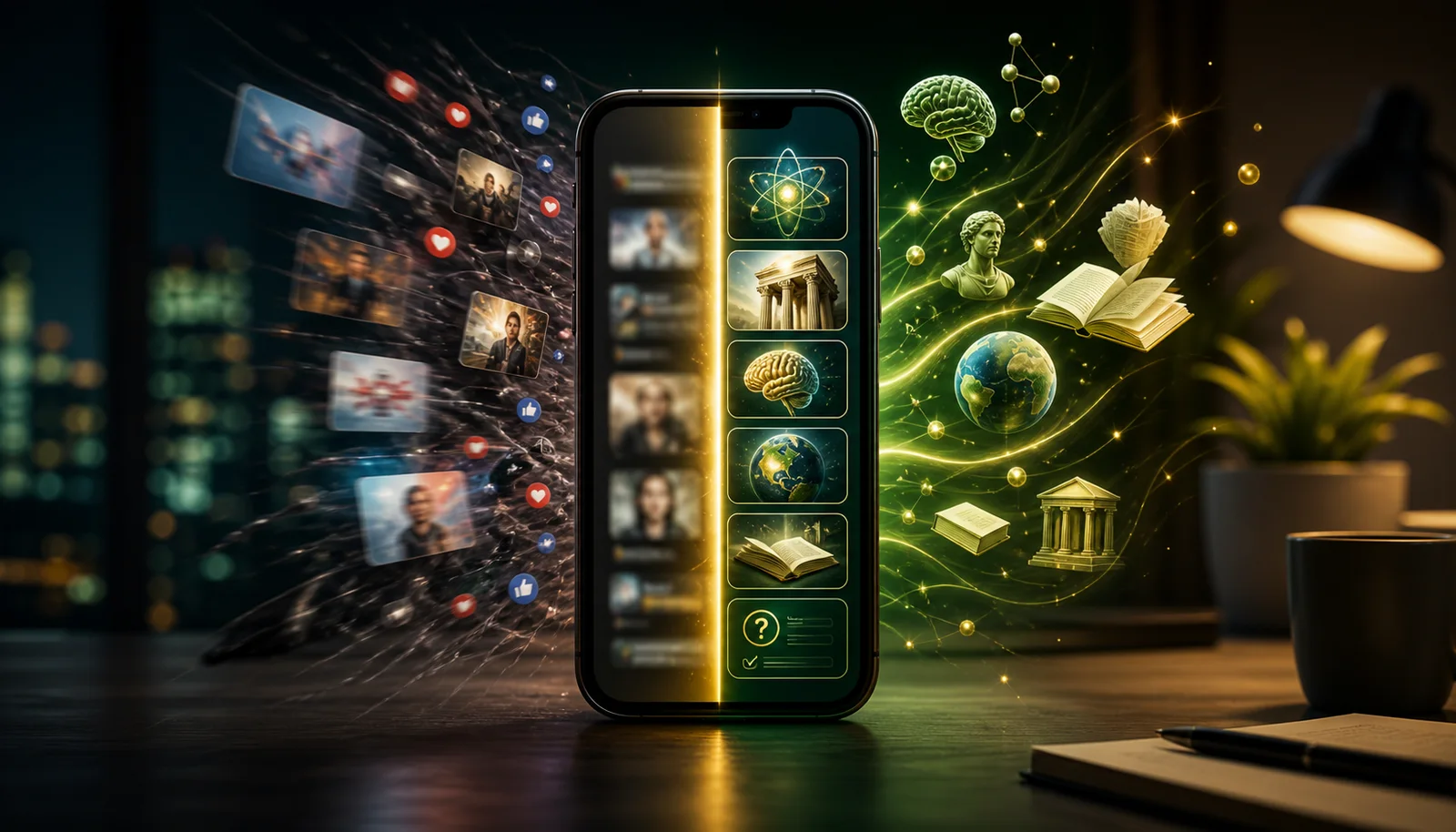
You've downloaded three "learning apps" this year and quit all of them. Same. The problem usually isn't willpower, most of these apps optimize for daily-active-user metrics, not for whether you actually walked away knowing anything new.
We spent the past 30 days using every major learning app on real weeknights instead of test conditions. This list ranks them honestly: what each does well, where it falls short, and the specific kind of person it actually works for. "Apps that make you smarter" really splits into three jobs, broad knowledge (NerdSip, Blinkist), specific skills (Brilliant, Duolingo, Anki), and cognitive drills (Elevate). We mark which app wins each.
Let's get into it.
At a Glance
| App | Best for | Free tier | Verdict |
|---|---|---|---|
| NerdSip | Broad knowledge that sticks | Yes, generous | Best overall |
| Brilliant | Math, science, CS | Limited | Best for STEM |
| Blinkist | Non-fiction summaries | One book/day | Best for book lovers |
| Duolingo | Languages | Yes, with ads | Best for languages |
| Imprint | Visual / casual learners | Limited | Best for visual learners |
| Anki | Pure memorization | Free (paid on iOS) | Best free power tool |
| Coursera | University-depth dives | First module free | Best for depth |
| Elevate | Cognitive drills | 3 games/day | Best for brain warm-ups |
1. NerdSip
What it is: A gamified micro-learning app with thousands of courses across psychology, science, history, social skills, productivity, health, technology, and philosophy. And if a topic isn't covered yet, you generate your own course on it in seconds.
How it works: Each lesson takes about 5 minutes. You get a core concept, a visual, a quiz, and a takeaway. The structure borrows from spaced repetition and active recall research, so you're not just reading passively. You're being tested as you go, which is how memory actually works.
The standout feature is course generation. Type any topic, however niche, and NerdSip builds a full structured course on it, backed by a really strong fact-checking engine so you can trust what you're learning. You're not limited to a fixed catalog; the catalog bends to your curiosity.
You can also listen to your lessons. Switch any course to audio and learn while you're walking, commuting, or working out, no screen required. The dead time in your day becomes learning time.
The other thing that separates NerdSip from most learning apps is the gamification layer. It runs on an MMORPG-style progression system with XP, loot drops (at different rarity tiers), leaderboards, and streaks. This sounds like a gimmick until you find yourself doing "just one more lesson" at 11pm because you want to hit your daily XP goal. The mechanics are borrowed from gaming because they solve the real problem with learning apps: most people quit after a week.
Fact-checking: Every course is generated against live search results, scored nightly for content integrity, kept out of the swipe deck if it fails the bar, and reportable in one tap to a queue that real people work through.
Who it's for: Curious adults who want to learn broadly and actually retain what they learn. People who've tried other learning apps and bounced. Former doomscrollers who want their screen time to mean something. If your interests span multiple subjects and you don't want to commit to a full course on any single one, NerdSip is built for that kind of curiosity.
Pricing: Free tier with real access to courses and daily lessons. A single paid plan unlocks more daily content and course generation. No credit card required to start.
Pros: Thousands of courses plus the ability to generate your own on any topic. Strong fact-checking engine behind generated content. Audio mode for hands-free, eyes-free learning. The gamification genuinely works for habit-building. Lessons are short enough to fit into any schedule. The quiz-per-lesson format forces active engagement.
Cons: Occasionally a niche topic lacks the depth of a human expert's take. The sheer breadth can be overwhelming if you don't pick a lane.
Platforms: iOS and Android.
Pick anything you're curious about and NerdSip builds the course, with a quiz at the end so it sticks. Free to start, no credit card.
2. Brilliant
What it is: An interactive learning platform focused on math, science, data analysis, and computer science.
How it works: Brilliant teaches through interactive problems rather than lectures or reading. Each lesson presents a concept, then immediately asks you to apply it. The difficulty ramps up gradually, and the problems are well-designed enough that you're learning by doing rather than by consuming. It feels more like solving puzzles than studying.
Who it's for: Anyone who wants to get better at quantitative thinking. If you want to understand calculus, neural networks, probability, or algorithms, Brilliant is one of the best options available. It works well for people who hated how math was taught in school but suspect they might actually enjoy it when it's presented well.
Pricing: Limited free tier. Premium is around $24.99/month or $149.99/year.
Pros: Genuinely excellent pedagogy for STEM topics. The interactive format is more effective than video lectures for most people. Course quality is consistently high.
Cons: Expensive. Narrow focus, so if you want to learn about history, psychology, or philosophy, you'll need another app. The free tier is too restricted to be useful long-term. We wrote a full NerdSip vs Brilliant comparison if you want the detailed breakdown.
Platforms: iOS, Android, and Web.
3. Blinkist
What it is: A book summary app with 9,000+ summaries of books and podcasts, each a 15-minute read or listen.
How it works: Blinkist takes popular non-fiction books and distills them into their main ideas. You can read or listen to each summary. It's designed for people who want to cover lots of intellectual ground without committing hours to each book.
Who it's for: Professionals who want to stay current on business, psychology, and self-help books. Commuters who prefer audio. People who like the idea of reading more but realistically don't have the time.
Pricing: Very limited free tier (one book per day). Premium is around $15.99/month or $99.99/year.
Pros: Huge library. Audio quality is professional. Great for previewing books before you buy the full version. Polished, no-friction UX.
Cons: Summaries are inherently shallow. You're getting someone else's interpretation of the main ideas, which means nuance and context often get lost. Retention can be low since there's no quiz or active recall mechanism. For a deeper look at how it compares to structured learning, see our NerdSip vs Blinkist comparison.
Platforms: iOS, Android, and Web.
4. Duolingo
What it is: The most popular language learning app in the world, with courses in over 40 languages.
How it works: Duolingo teaches through short, gamified lessons that mix translation, listening, speaking, and matching exercises. The streak system and XP leaderboards are famously addictive. The green owl will guilt-trip you if you skip a day, and somehow that works.
Who it's for: Anyone who wants to learn a new language, from complete beginner to intermediate. It's best for building vocabulary and basic grammar. If you want conversational fluency, you'll eventually need to supplement it with real conversation practice.
Pricing: Generous free tier with ads. Super Duolingo is $12.99/month or $83.99/year for ad-free, unlimited hearts, and extra features.
Pros: The gamification is best-in-class. Free tier is genuinely usable. Course quality varies by language, but the popular ones (Spanish, French, Japanese) are very good. The habit-building mechanics are proven.
Cons: A fixed menu. Languages, plus Math, Music and Chess, and nothing outside those four. Can feel repetitive at intermediate levels. The app sometimes prioritizes engagement metrics over pedagogical effectiveness. We have a NerdSip vs Duolingo comparison if you want to see how the two gamification approaches differ.
Platforms: iOS, Android, and Web.
5. Imprint
What it is: A visual learning app that teaches big ideas through illustrated, swipeable lessons.
How it works: Imprint breaks down topics in psychology, philosophy, business, and science using visuals and short text cards. Each lesson feels a bit like reading a well-designed Instagram story, but one that actually teaches you something. The visual format makes abstract concepts easier to grasp.
Who it's for: Visual learners who find text-heavy apps overwhelming. People who want a low-effort entry point into topics like stoicism, behavioral economics, or cognitive psychology. Good for casual learners who don't want homework.
Pricing: Limited free content. Premium is around $15.99/month or $99.99/year.
Pros: Beautiful design. The visual format is genuinely different from other learning apps. Low barrier to entry; lessons feel lightweight and approachable.
Cons: Expensive for what you get. Content library is smaller than competitors. The visual-first approach can sacrifice depth. Limited interactivity means lower retention compared to apps that quiz you.
Platforms: iOS and Android.
6. Anki
What it is: An open-source spaced-repetition flashcard app. The power tool of the self-study world.
How it works: You create flashcards (or download community-made decks), and Anki schedules your reviews based on spaced repetition algorithms. Cards you know well show up less often. Cards you struggle with show up more. Over time, this is one of the most scientifically effective methods for moving information into long-term memory.
Who it's for: Medical students, language learners, and anyone willing to put in the work of creating or curating their own study material. Anki rewards dedication. It is not for casual learners who want something ready-made.
Pricing: Completely free on Android, Windows, Mac, and Linux. The iOS app is $24.99 (one-time purchase). No subscriptions.
Pros: The spaced repetition algorithm is battle-tested and incredibly effective. Fully customizable. Free on most platforms. Massive community with shared decks for almost any subject.
Cons: The UI looks like it was designed in 2005, because it was. Steep learning curve. You need to build or find your own content, which is a real time investment. No guided curriculum. If you want something that just works out of the box, Anki is not that.
Platforms: iOS (paid), Android (free), Windows, Mac, Linux, and Web.
7. Coursera
What it is: A platform offering real university courses, professional certificates, and degree programs from institutions like Stanford, Yale, and Google.
How it works: Coursera hosts full courses with video lectures, readings, assignments, quizzes, and sometimes peer-reviewed projects. Courses range from a few hours to several months. Since 2025 most courses only let you preview the first module for free. Certificates cost money.
Who it's for: People who want structured, in-depth learning on a specific topic. Career changers who need a credential. Self-motivated learners who can stick with a multi-week course without external accountability.
Pricing: Most courses now offer only a free first-module preview, since Coursera dropped audit mode in 2025. Coursera Plus is $59/month or $399/year for unlimited certificates. Individual certificates are typically $49 to $99.
Pros: Content quality is often excellent since it comes from actual universities. Certificates have some professional value. The depth you can reach is far beyond any microlearning app.
Cons: Time commitment is significant. Completion rates are notoriously low (some estimates put them under 10%). Not a mobile-first experience. If you want to learn something in 5 minutes on the bus, Coursera is the wrong tool.
Platforms: iOS, Android, and Web.
8. Elevate
What it is: A brain training app that focuses on improving specific cognitive skills like math speed, reading comprehension, writing precision, and speaking ability.
How it works: Elevate gives you a daily set of mini-games tailored to your skill levels. Each game targets a specific cognitive skill and adjusts difficulty based on your performance. It tracks your progress over time and shows where you're improving.
Who it's for: People who want to sharpen specific mental skills rather than learn new subjects. Professionals who want to improve their writing clarity, mental math, or verbal precision. Good as a daily warm-up for your brain.
Pricing: Limited free tier with three games per day. Premium is around $9.99/month or $39.99/year on the US App Store.
Pros: Well-designed games that feel satisfying. Personalized difficulty curves. Good at building specific skills like mental arithmetic and reading speed. Clean, modern UI.
Cons: You're not learning new knowledge, just training cognitive skills. Research on whether brain training transfers to real-world intelligence is mixed at best. Can feel repetitive after a few months. The free tier is too limited.
Platforms: iOS and Android.
Why Brain Games Won't Make You Smarter (and What Will)
Elevate earns its spot above as a daily warm-up, but it helps to be clear about what brain training can and cannot do. In 2014, about 70 neuroscientists and cognitive psychologists signed an open letter calling the evidence for commercial brain training products "weak to nonexistent." A 2016 review in Psychological Science in the Public Interest found that brain games improve performance on the specific tasks being trained, but those gains don't transfer to real-world intelligence, memory, or decision-making. The Federal Trade Commission fined Lumosity $2 million in 2016 for deceptive advertising.
In plain English: practice a memory game and you get better at that memory game, not at remembering things in real life.
What does make you smarter is less mysterious:
- Acquiring new knowledge: facts, concepts, and mental models give your brain more material to reason and decide with.
- Learning new skills: a language, an instrument, or coding builds new neural pathways in the relevant domains.
- Active recall and spaced repetition: being tested on what you learned, instead of re-reading it, is one of the most robust findings in cognitive psychology.
- Deep reading: whole books, not headlines, build sustained attention and the ability to hold complex ideas in mind.
Use that as your filter. An app that teaches you real things and makes you retrieve them beats one that only trains a task or lets you consume passively.
Two Free Extras: Libby and Notion
Two more apps didn't make the ranking because they don't teach you anything by themselves, but they cover gaps the eight above leave open.
Libby is the app for your local public library. It gives you e-books and audiobooks from your library's digital collection with no ads, no subscription, and no catch beyond a library card. Many libraries carry 10,000+ titles. Books are still the deepest way to learn something: a 300-page book by a world expert holds more nuance and evidence than any app can replicate. The downsides are wait times for popular titles and a selection that depends on your library's digital budget.
Notion works as a personal knowledge system: a place to capture, organize, and connect ideas from everything you read, watch, and learn. Summarizing what you learned in your own words (the Feynman Technique) is one of the best retention techniques there is, and Notion makes it easy. The free tier is enough for personal learning. The catch: it is only as valuable as what you put in, and it can turn into a very pretty place to hoard notes you never read again.
Pair either one with a daily learning app and you cover depth as well as breadth, at no extra cost.
How to Pick the Right App
The honest answer is that no single app will "make you smarter" in every way. Intelligence is not one thing. These apps train different aspects of it.
If you want broad knowledge across many subjects with real retention, NerdSip is the best fit. The combination of wide topic coverage, active recall through quizzes, and gamification that keeps you coming back is hard to find elsewhere.
If you want deep STEM skills, go with Brilliant. If you want a new language, Duolingo is the obvious choice. If you want book knowledge fast, Blinkist. If you want raw memorization power and you're willing to do the setup work, Anki. If you want structured university-level depth, Coursera.
The best strategy, honestly, is to pick one or two and use them consistently. A mediocre app used daily beats a perfect app you open once and forget about. That's why gamification matters more than most people think. It's not about the cleverness of the learning algorithm; it's about whether you actually show up tomorrow.
Getting smarter is one pillar of a larger project. The broader self-improvement app list for 2026 adds sleep, focus, fitness and money to the picture, with a comparison table and current pricing.
Apps are tools, not the whole plan. For the habits that make them work, see our guide on how to get smarter, and for an honest look at what can and cannot change, read can you get smarter?
How to Actually Stick With One
Downloading three learning apps is what you did last time. That's why you're reading this list. Here's the version that works.
Step 1: Pick one, not three. Match the app to the job you most want done. Broad knowledge → NerdSip. Specific skill → Brilliant, Duolingo, or Anki. Cognitive drill → Elevate. Pick the job first, the app second.
Step 2: Move it to your home screen. Same slot as the app you mindlessly open now (you know which one). Your thumb has muscle memory; use it.
Step 3: Set a tiny daily target. 5 minutes. One lesson. Don't aim for 30-minute deep-work sessions on day 3, that's how this fails. The goal is to make showing up easy.
Step 4: Track for 14 days. The streak mechanic in good apps (NerdSip, Duolingo) does this for you. If you make it to day 14, it's stuck. If you don't, you didn't pick the right app for the right job, go back to Step 1.
For most people reading this, the right starting point is either NerdSip (if you want to learn a bit of everything) or whichever specialized app matches the specific skill you care about most. Start with the free tier. Give it two weeks. See what sticks.
Want to actually retain what these apps teach instead of app-hopping? That is the focus of our microlearning hub, which shows how to turn any learning app into a few-minutes-a-day habit that sticks.
If the goal is the phone itself, see how to make your phone time actually worth it.
Apps are the delivery mechanism, not the method. The method is in our guide to improving your general knowledge: learn one small thing, recall it from memory, rotate the topic, repeat.
And if you want the same honesty applied beyond learning, we put the whole self-improvement category through the same filter: the apps that actually work, plus the popular ones that did not survive it.
Frequently Asked Questions
What are the best apps that make you smarter?
The top apps for getting smarter in 2026 are NerdSip (gamified micro-courses across thousands of topics, plus the ability to generate your own), Brilliant (interactive STEM learning), Blinkist (non-fiction book summaries), Duolingo (language learning), Anki (free spaced-repetition flashcards), Coursera (full university courses), Imprint (visual learning), and Elevate (brain training games). The best choice depends on what you want to learn and how you like to learn it.
What are the best learning apps in 2026?
The best learning apps in 2026 include NerdSip for broad knowledge retention with gamification, Brilliant for math and science, Duolingo for languages, and Coursera for structured university-level courses. NerdSip and Duolingo both have strong free tiers.
Are there free apps that make you smarter?
Yes. Anki is completely free on Android and desktop (paid on iOS). NerdSip, Duolingo, Brilliant, and Coursera all offer free tiers with real access to content. NerdSip's free tier gives you access to courses and daily lessons without a credit card.
Do brain training apps actually work?
It depends on the app. Apps like Elevate and Lumosity train narrow cognitive skills (math speed, reading comprehension) but research on whether those gains transfer to general intelligence is mixed. Apps that teach you actual knowledge and skills, like NerdSip, Brilliant, or Coursera, make you smarter in a more practical sense because you walk away knowing things you didn't know before.
What are apps that make you smarter, not dumber?
Apps that make you smarter teach you something real and make you recall it: NerdSip for broad knowledge, Brilliant for STEM, Duolingo for languages, and Anki for memorization. Apps that make you dumber reward fast, frictionless stimulation that crowds out the habit of learning anything difficult. The difference is not the screen. It is whether you finish a session knowing something you did not know before.
Is my phone making me dumber?
Not dramatically, but the habits it builds can. The average person spends over 4 hours a day on their phone, and much of that time goes to feeds that shorten attention spans and reward instant stimulation over effortful learning. The same device can fix the problem. Replace the first 10 minutes of your morning scroll with a lesson or a chapter, and your screen time starts working for you.
What actually makes you smarter if not brain games?
Learning new things. Acquiring knowledge and mental models, learning new skills like a language or an instrument, testing yourself with active recall and spaced repetition, and reading whole books all produce real cognitive gains. Brain games mostly make you better at the games themselves. Apps are only the delivery mechanism, so the best one is the one you will actually open every day.
Is there a completely free app for reading books?
Yes. Libby connects to your local public library and lets you borrow e-books and audiobooks for free, with no ads and no subscription, as long as you have a library card. Many libraries offer 10,000+ digital titles, though popular books can have wait lists and the selection depends on your library. Books remain the deepest way to learn a subject, so Libby pairs well with any learning app.
Every NerdSip course clears a four-layer fact-checking pipeline before it reaches the app: grounded in live sources, scored nightly, gated on failure, and reviewable by a person at one tap. Articles on this blog are drafted with AI assistance, then researched, verified, and edited by our team.
Editorial responsibility: ai51 UG (haftungsbeschränkt). Responsible editor named in the imprint.
📚 Keep Learning
- Best Quiz App in 2026: 4 Tested (And What Happens When You Get One Wrong)
- 7 Best General Knowledge Apps in 2026: Learn Something Useful Every Day
- NerdSip vs Blinkist: Which Learning App Is Actually Right for You?
- NerdSip vs Brilliant: Depth or Breadth? An Honest Comparison
- NerdSip vs Duolingo: Same Gamification, Totally Different Purpose
- 9 Best Apps for Curious Adults Who Just Like Knowing Things (2026)
Explore the NerdSip learning hubs
The blog is our editorial layer. When you want to move from reading into doing, these hubs organize the rest of NerdSip by format, including the app itself and the press that has written about it.
Try NerdSip Free
Thousands of courses, or generate your own on any topic. 5-minute lessons, listen on the go. Free to download.
Courses on this topic
4.7 stars from 380 reviews · 10,000+ learners